
Multi-Factor Authentication
Quick Wins
You can use free virtual tokens such as Authy, Duo Mobile, LastPass Authenticator, Google Authenticator, or Microsoft Authenticator.
It’s easy to enable MFA in root and IAM users:
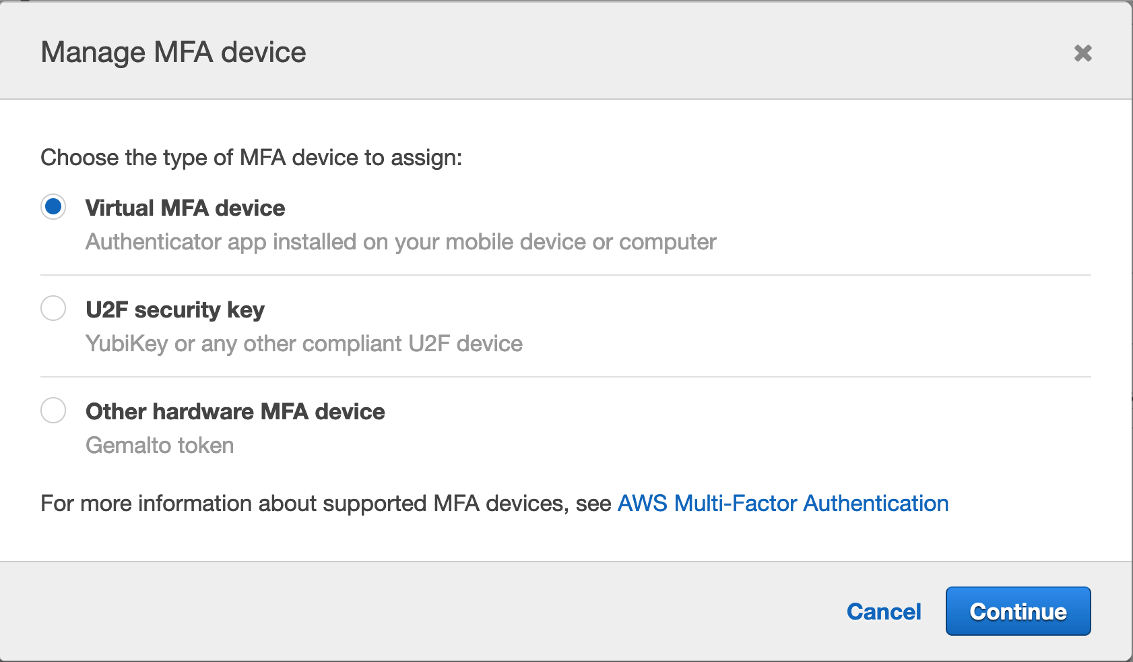
- MFA Features: https://aws.amazon.com/iam/features/mfa/
- Enabling MFA: https://docs.aws.amazon.com/IAM/latest/UserGuide/id_credentials_mfa_enable_virtual.html
- Enabling MFA reinforces the “Forgot Password” process since it adds a call with a One Time Password (OTP) by voice in addition to the OTP that arrives in the email, in order to remove the MFA.
It’s easy to enable MFA in AWS IAM Identity Center (successor to AWS Single Sign-On):
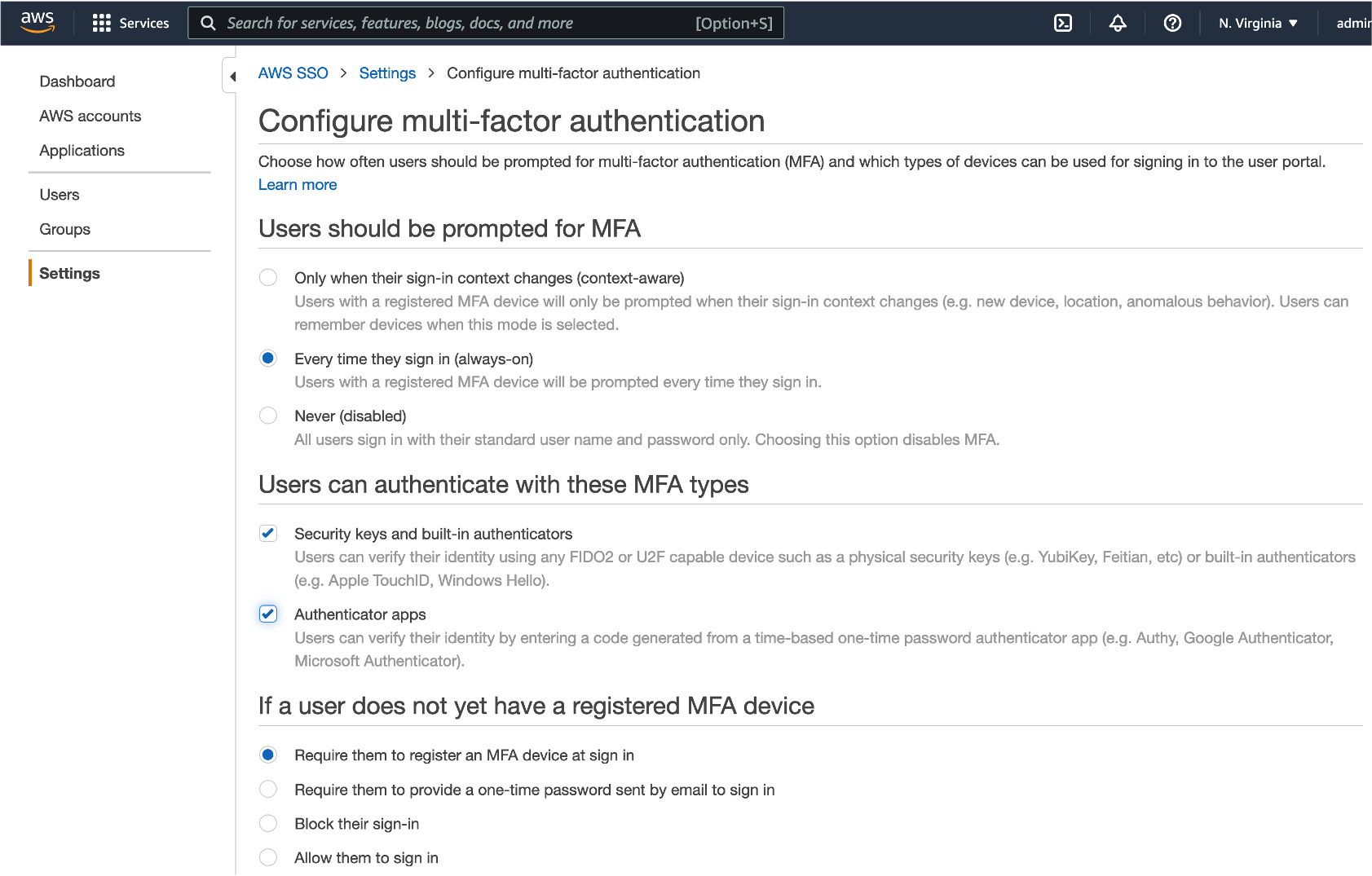
It’s easy to enable MFA in Amazon Cognito for App User Authentication (CIAM)
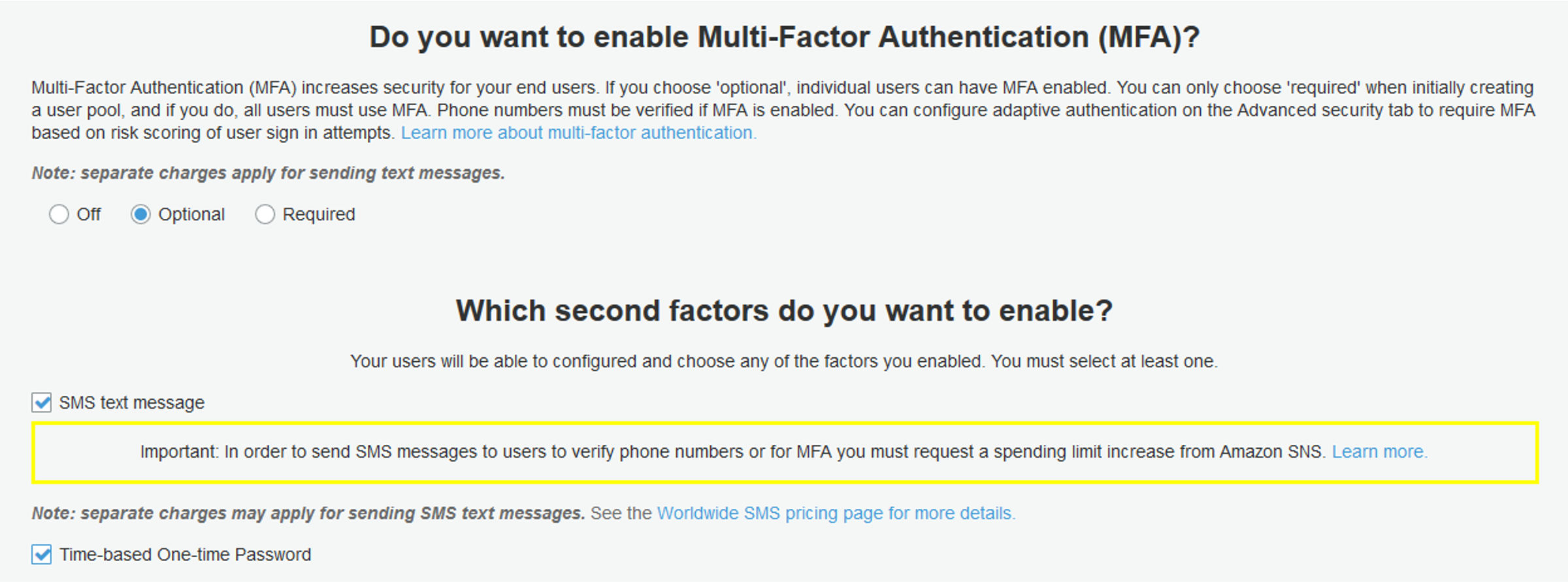
MFA for everyone
For security reasons it’s advisable to use multi-factor authentication for all users, starting with root and privileged users but ideally for all of them.
MFA everywhere
For security reasons it’s advisable to use multi-factor authentication on every user authentication. If this affects user experience, and it’s not accepted in your organization, context-aware authentication (or Adaptive authentication) is a good trade off, as it will prompt for MFA only when the device changed, or it comes from a different country, or there is any anomalous behavior (supported by AWS IAM Identity Center (successor to AWS Single Sign-On) and Amazon Cognito).
Pricing
There’s no additional charge for enabling MFA in AWS users. Also there’s no additional cost for using MFA on Cognito.
If you want to use a physical MFA device, you’ll need to purchase one from third-party vendors that is compatible with AWS MFA, either from Gemalto or Yubico. For additional details, visit Yubico or Gemalto’s website.
Risk Mitigation
- [Credential Access] - Threat actors use multiple techniques to acquire passwords (password guessing, keyloggers, brute force, diccionary attacks), when using an MFA device "something you HAVE" adds an additional layer of protection that thwarts their progress.
MITRE ATT&CK references
Guidance for Assessments
- Is MFA enabled on ALL your root accounts ? (or enabled on the root-org and all other roots are disabled with SCP)
- Are MFA devices properly secured in a location with locks ? (or are they reachable by personnel such as the janitor ?)
- Is your Identity Provider configured to require MFA for your employees ? How ?
- Do you have IAM users without MFA configured ? (note: Avoid the use of durable credentias such as IAM Users)
- Is MFA enabled for your customers in your applications cor critical tasks (CIAM) ?
Framework Mapping
AWS Cloud Adoption Framework (Security Perspective)
AWS Well-Architected — Security Pillar